There are two booking surfaces and one of them is the real one. The day view has a quick inline form, but almost everything routes to the month scheduler, which is where you can see the whole month's availability at once.
Booking
Get there by clicking an OPEN slot on the day view, or New appointment, or + Book new appt from a patient's Quick View.
The header tells you what you're doing — Book a new appointment, or Book appointment — [name] when a patient is already chosen. Under it, the month with 15-minute slots.
The Today: Sunday, July 26, 2026 pill is always visible. Use it — it's easy to be looking at the wrong month and not notice.
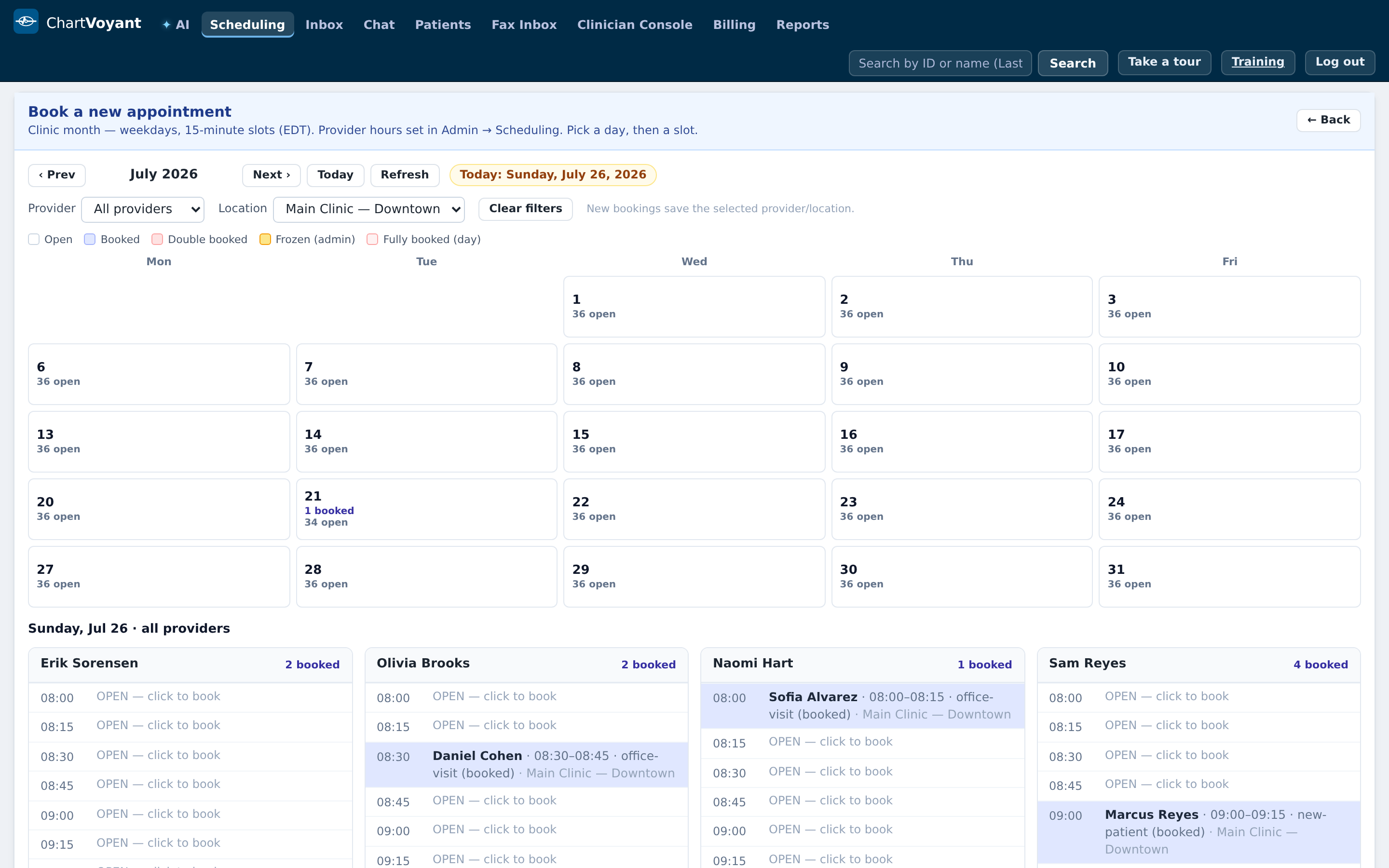
Filter by Provider and Location before you start hunting. Two reasons: it narrows the month to relevant availability, and new bookings save the selected provider and location, so filtering first means less typing later.
The legend explains the day cells: Open, Booked, Double booked, Frozen (admin), Fully booked (day).

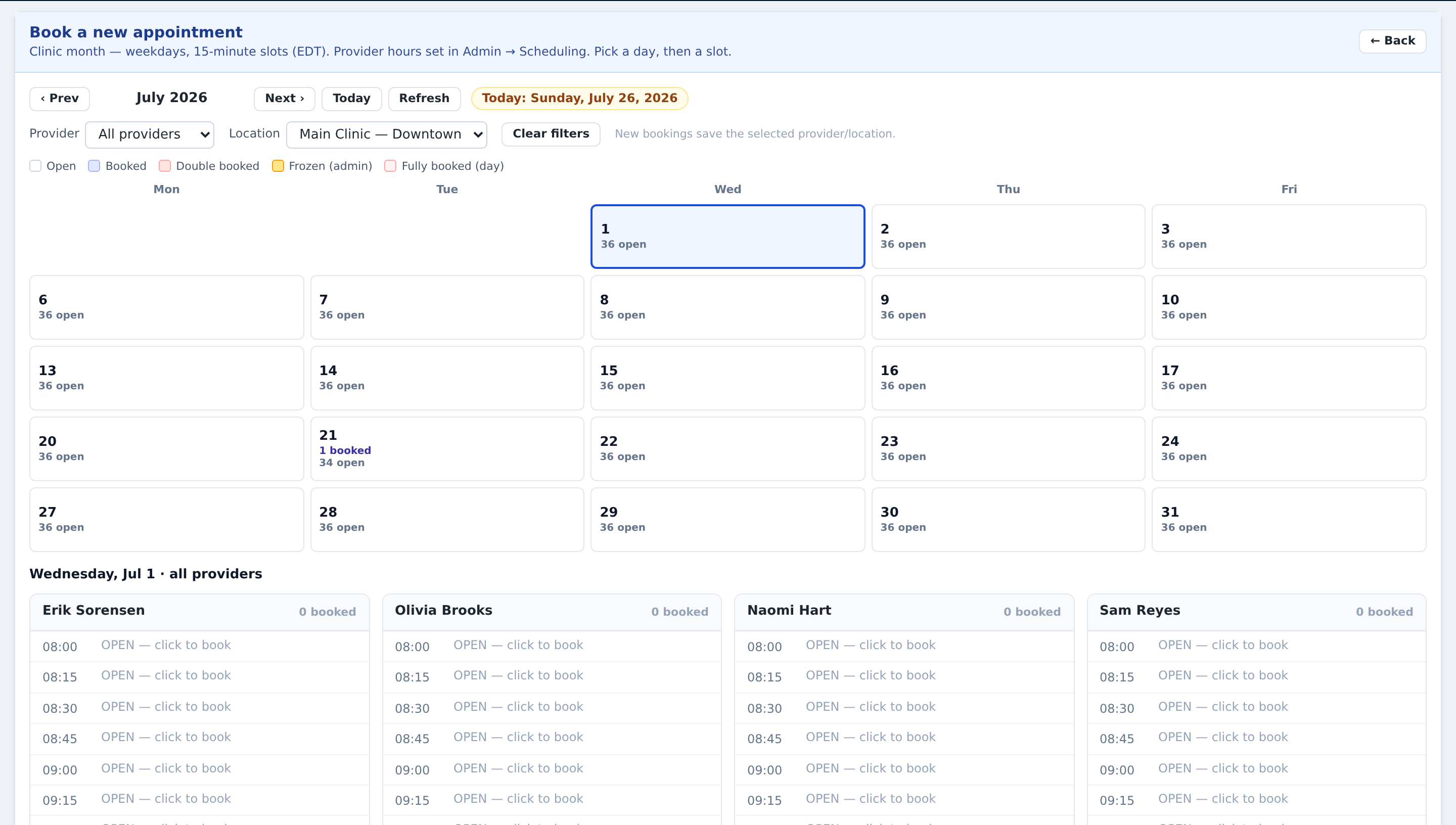
Pick a day, then a slot. A panel opens on the right titled Book appointment with the day and time.
Fill in Patient, Visit type, Duration (shown as e.g. 30 min (2 slot(s))), and Reason. The info box confirms which provider and location will be saved. Press Book.
Success reads back exactly what you did: Booked 14:00–14:30 on 2026-07-28 (America/New_York). Read it — it's your check that you booked what you meant to.
The five things that will stop you
Each block names the rule and where it's configured. That's on purpose: the front desk shouldn't have to guess.
| Message you'll see | Why | Fix |
|---|---|---|
| That window is frozen. An administrator must open it before booking. | Slot deliberately blocked | Ask an administrator |
| The practice is closed that day — … | Holiday or closure | Admin → Holidays & closures |
| That's the lunch break (12:00–13:00). | Lunch | Admin → Practice settings |
| That overlaps this provider's 14:00–14:30 visit, and double-booking is blocked. | Overlap rule | Admin → Booking rules |
| Too close to this provider's 14:00–14:30 visit — the practice requires a 15 minute buffer… | Buffer rule | Admin → Booking rules |
There's also a notice rule: Bookings need at least … of notice. If a patient wants to be seen in twenty minutes and the practice requires an hour's notice, that's the message you'll get.
Rescheduling
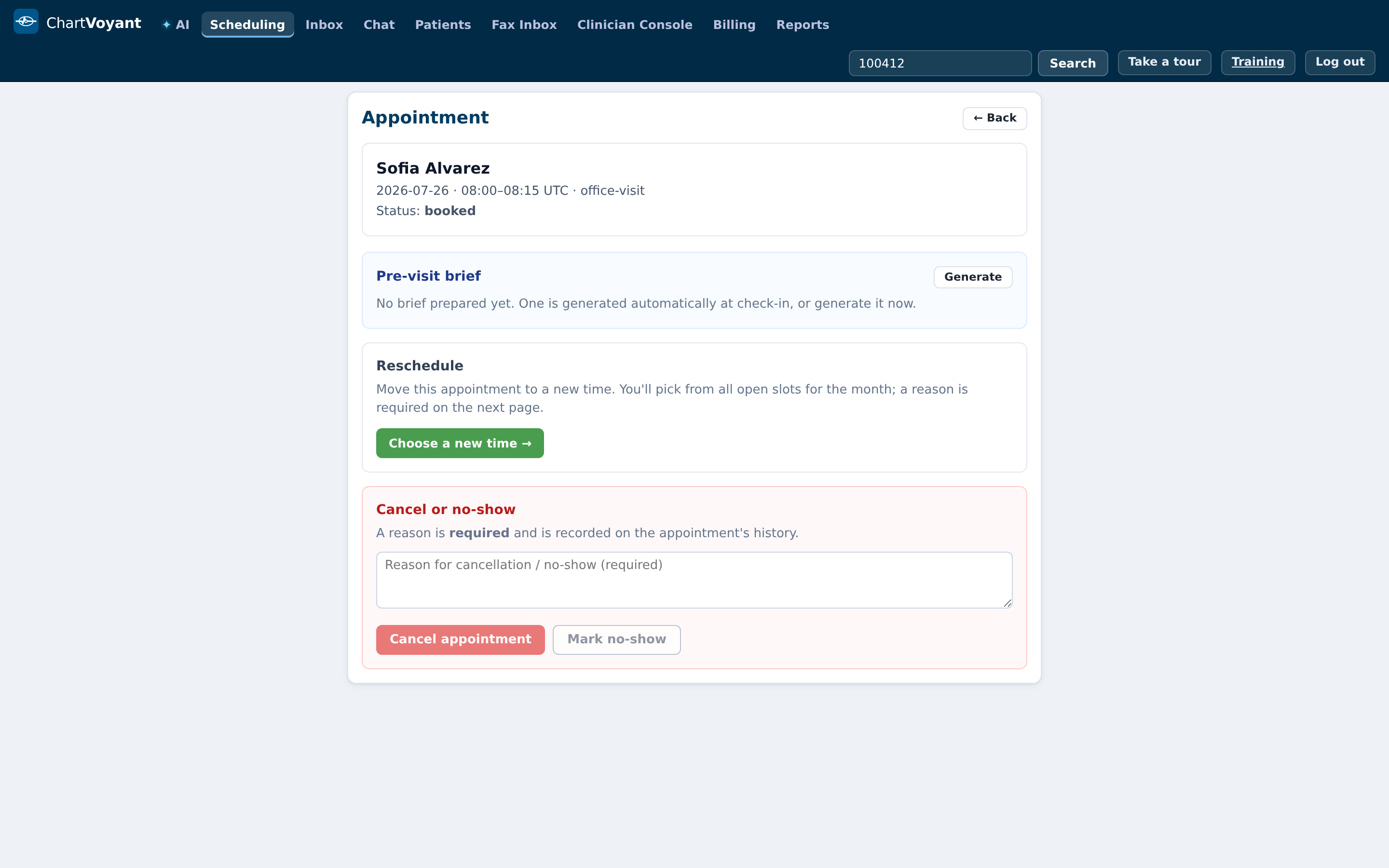
Click the appointment — from the day view, or from Manage → in the patient's Quick View appointments panel — to reach the Appointment page.
Under Reschedule it says: Move this appointment to a new time. You'll pick from all open slots for the month; a reason is required on the next page. Press Choose a new time →.
The month scheduler reopens in reschedule mode — the header reads Reschedule — [patient] · [visit type] and tells you where the appointment currently sits. Pick the new slot, and this time the Reason (required) field must be filled: Why is this appointment being moved? Then Confirm move.
Cancelling and no-shows
Same page, under Cancel or no-show: A reason is required and is recorded on the appointment's history.
Type into Reason for cancellation / no-show (required) and then press Cancel appointment or Mark no-show. Both buttons stay disabled until you do — if you try anyway you'll get A reason is required to cancel.
Be specific and neutral in the reason. "Patient called — work conflict, will call back to rebook" is useful to the next person. "Cancelled" is not. These reasons show up in the Reschedule history section and in the audit trail, and they're what you'll rely on when a patient says they were never told.
What usually goes wrong
Booking without filtering to the provider first. You end up on the default provider and have to redo it. Filter, then book.
Ignoring the success message. It reads back the exact date, time and timezone. Two seconds of reading catches the wrong-month mistake.
Vague cancellation reasons. They're permanent, they're visible, and they're the practice's defence in a dispute. Write the sentence.
Double-booking to be helpful. If overlap is blocked, that's a decision the practice made. Ask rather than routing around it — and if the rule is wrong for how the clinic really runs, that's a conversation for the practice manager.