By the time you open the door, the patient has usually answered a set of questions at the kiosk or with the front desk. Intake is where you read that, decide what it changes, and document whatever has to be documented before the exam.
Their answers, unaltered
The Patient intake answers card appears when the patient filled anything in. Its sub-line is the important part: Answered by the patient at check-in — review before the exam. Shown exactly as asked (snapshotted).
Snapshotted means the wording is frozen as it was put to them. If the form changes next year, this record still shows the question this patient actually saw.

Screening instruments show a score line — Score 19 / 27 — moderately severe — followed by screening tool, not a diagnosis · clinician review. Anything the instrument flags renders in red as ⚠ [flag].
Where the patient signed something, you get Signed by [typed name] · [timestamp].
The checklist
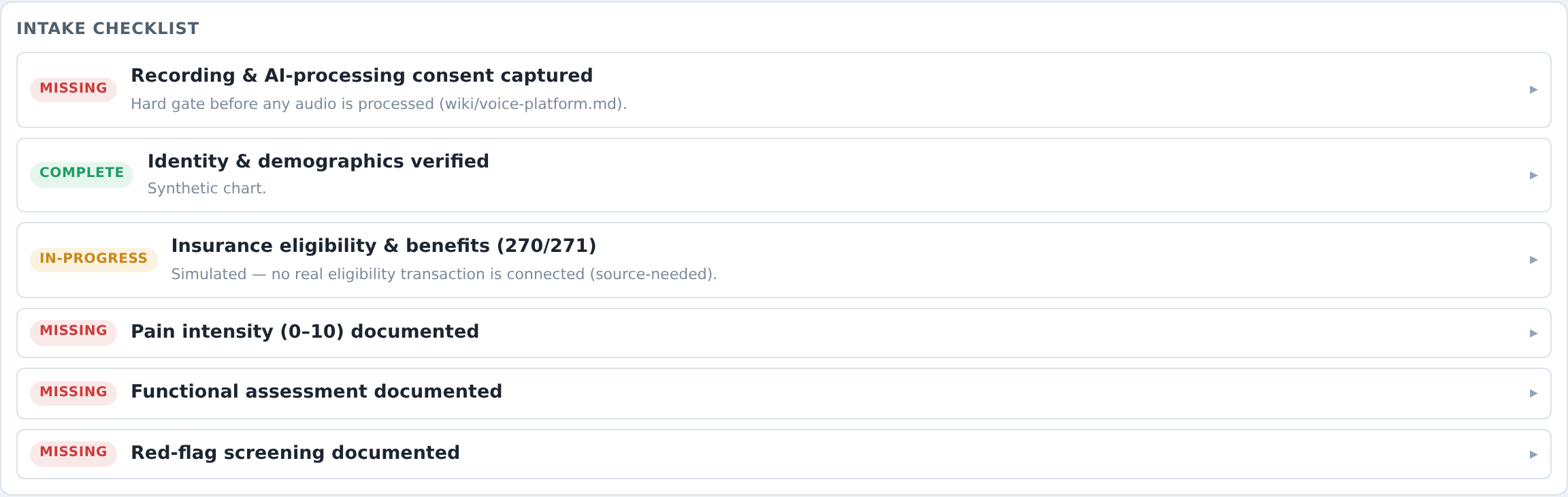
The Intake checklist is a list of things this practice wants documented, each with a status pill — missing, in-progress or complete. Click a row to open it.
For a pain practice the rows include: recording & AI-processing consent captured, identity & demographics verified, insurance eligibility & benefits (270/271), pain intensity (0–10) documented, functional assessment documented, red-flag screening documented, PDMP reviewed (controlled medications), controlled-substance agreement on file, pill count, and conservative-therapy history documented (for prior auth).
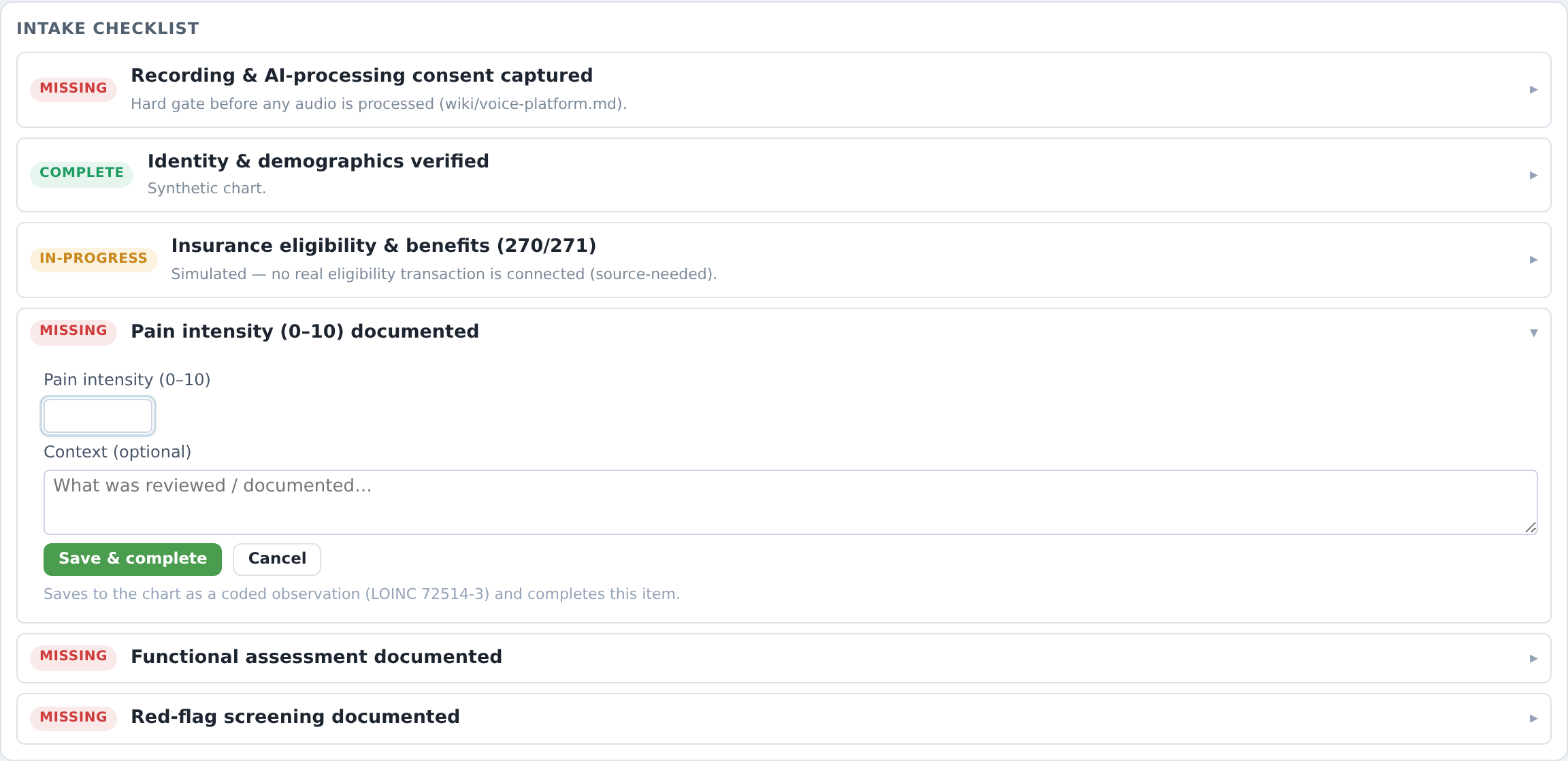
An open row gives you a Documentation field and two buttons, Save & complete and Cancel. The pain row is special: it asks for Pain intensity (0–10) and Context (optional), and tells you where the number goes — Saves to the chart as a coded observation (LOINC 72514-3) and completes this item.
The placeholders are written to show you the expected shape rather than to be clever — for red flags, e.g. No bowel/bladder changes, no weakness, no fever or weight loss.
Two rows are honest about being unfinished, and you should read them that way:
- Insurance eligibility & benefits (270/271) — Simulated — no real eligibility transaction is connected (source-needed).
- PDMP reviewed (controlled medications) — PDMP not connected in this prototype (source-needed). Ticking it records that you reviewed the PDMP wherever you actually review it. It does not mean the software checked anything.
Pill count
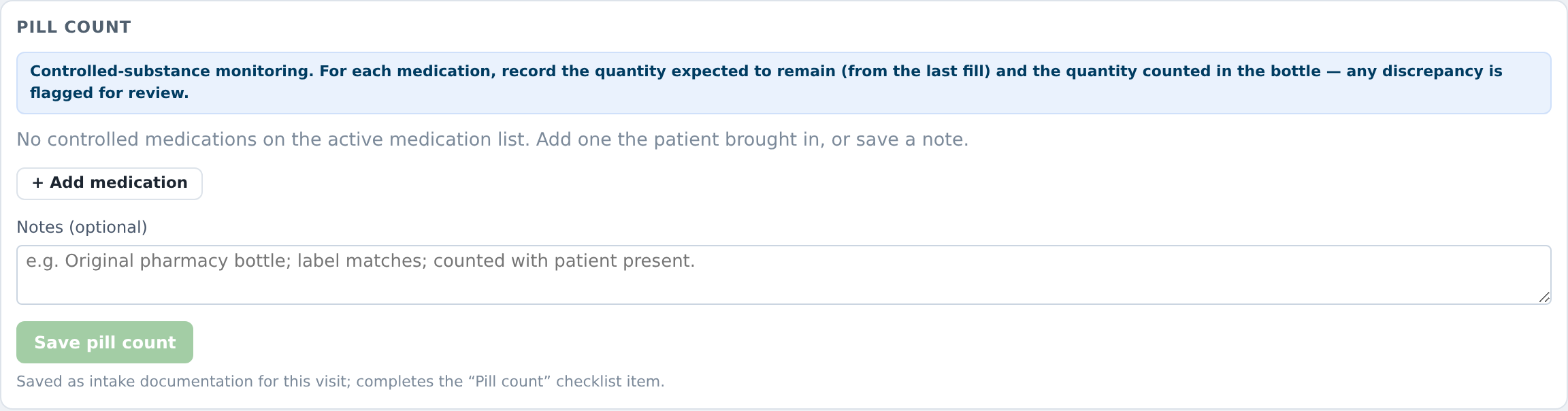
For controlled medications there is a dedicated Pill count card: record the quantity expected to remain (from the last fill) and the quantity counted in the bottle — any discrepancy is flagged for review.
A row per medication, with Expected, Counted and a computed Discrepancy. + Add medication for anything the patient brought in that isn't on the list. Notes (optional) is where the context goes — the placeholder shows the house style: e.g. Original pharmacy bottle; label matches; counted with patient present.
Press Save pill count. You get ✓ Pill count recorded. You can update it if you recount.
Room and visit status
The Room & visit status card is small and worth using: it is the same room and stage the day schedule shows. Setting Ready for checkout is what puts the patient into the front desk's checkout queue, and the room frees itself when check-out completes.
Moving on
Begin exam → takes you to the exam. Without consent it is disabled, with the tooltip Consent must be captured at check-in first. ← Back to worklist returns you to the day.
What usually goes wrong
Skimming past a red flag. The screening flags are the reason this card is above the fold.
Treating the eligibility line as a benefits check. It says simulated. It is.
Ticking PDMP because the row exists. The row records your attestation that you reviewed it. Nothing here reviewed anything.
Leaving the pill count for later. It is a count of what is in front of you, with the patient present. Later is a different measurement.