Faxes and referrals arrive, get read, and are matched to a patient. Most file themselves. This lesson is about the ones that don't, and about undoing the ones that filed themselves wrongly.
Three views
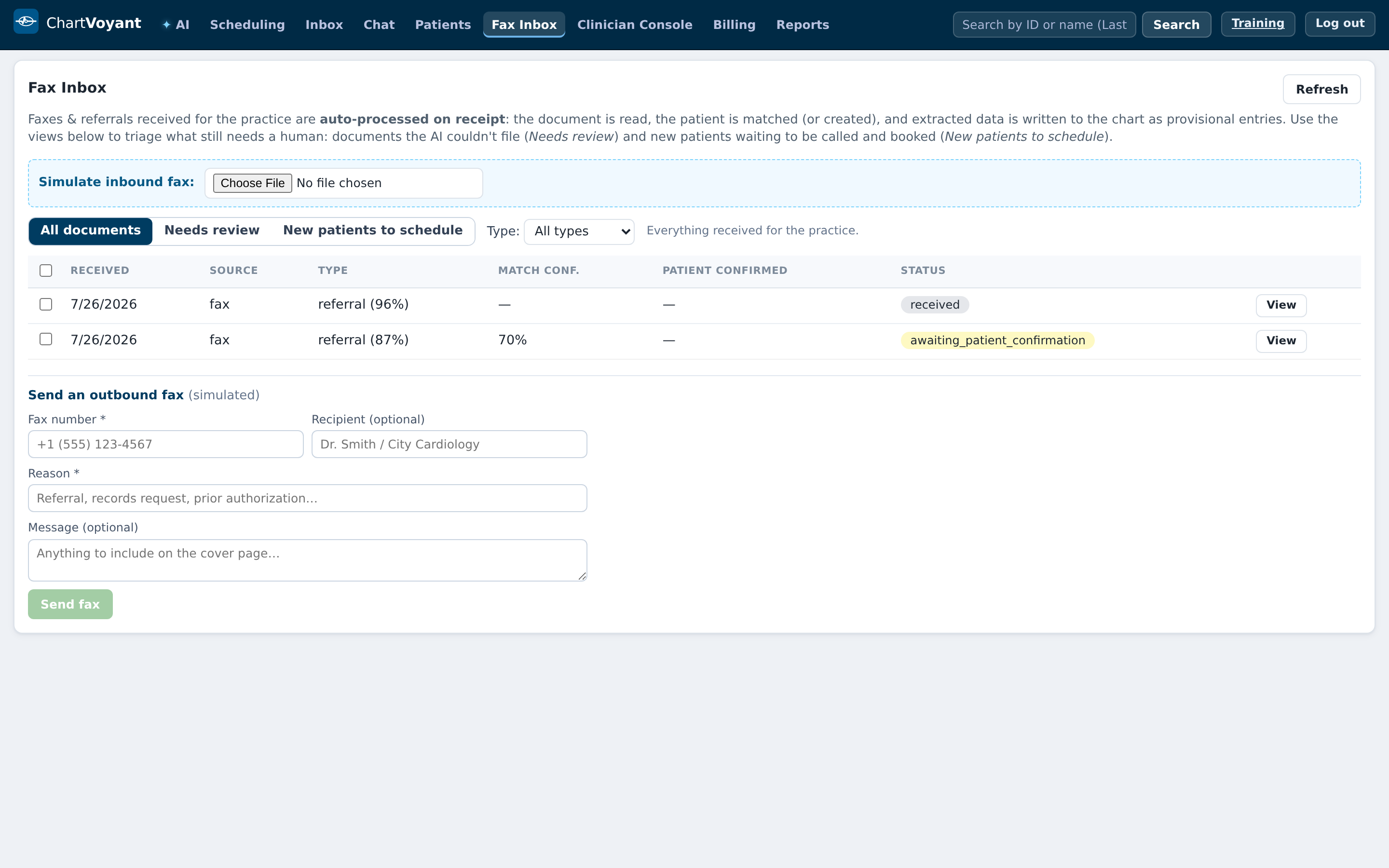
The Fax Inbox tab has three saved views:
- All documents — Everything received for the practice.
- Needs review — The AI couldn't fully file these — a human needs to look them over.
- New patients to schedule — people the referrals created, waiting to be called and booked
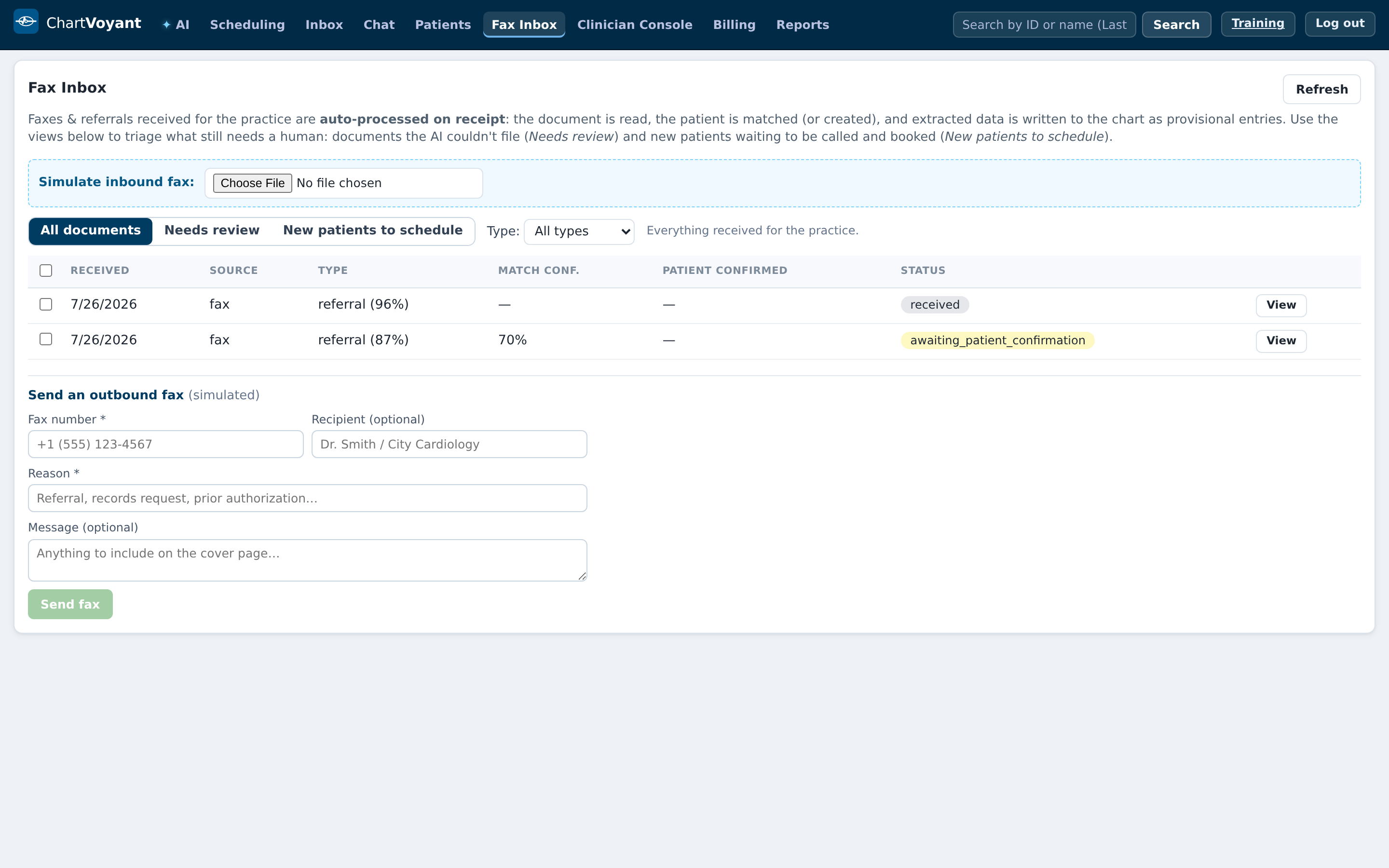
Work them in that order of urgency: Needs review first, then New patients to schedule. All documents is where you go to find something, not a queue.
Why something needs review
Each item carries the reason as a badge:
| Badge | What happened |
|---|---|
| No patient identified | It couldn't find anyone matching |
| Low match confidence | It found a probable patient but isn't sure |
| Low type confidence | It isn't sure what kind of document this is |
| Auto-intake errored | The automatic pass failed outright |
None of these is a fault. They are the system declining to guess, which is the behaviour you want from software that files clinical documents.
Approving and rejecting
Open an item and you see what the automatic pass concluded — New patient created, Matched existing patient, or No patient identified — and what it wrote to the chart, marked provisional pending your review.
Two buttons decide:
- Approve — correct patient & intake
- Reject — wrong patient / not needed
There is also View audit trail on a document, showing exactly what happened to it and when, under the tamper-evident badge.
Turning a referral into a booked patient
Referrals for people not yet in the practice land in New patients to schedule.
Run Virtual MA prepares the call — it reads the referral and pulls out what you'd want in front of you before dialling. Mark scheduled clears them from the queue once they're booked.
That queue is the one with revenue attached. A referral nobody calls is a patient who goes somewhere else, and it is the easiest queue in the product to forget because nothing chases you.
Setting this up for go-live
Two practical things for the implementation team:
- The fax number that heads outbound faxes comes from the location — set it in Admin → Locations, per site
- Inbound fax delivery needs a vendor, and that vendor receives PHI, so it needs a signed BAA and a Cleared for PHI tick in Admin → Integrations & vendors before it goes live
What usually goes wrong
Approving to clear the queue. The queue is not the goal; the chart being right is.
Leaving New patients to schedule for later. Nobody chases it. Put it in somebody's morning.
Treating a badge as an error. It is a request for judgement.
Going live with no fax number on the location. Outbound faxes then carry nothing useful in the header.